
Vehicle health
Tap "Engine" on the home screen while stopped to see your vehicle's condition in clear numbers.
01Daily check
Every time you start, it checks the battery, temperature and tyres. If everything is fine, "Daily check ✓" appears at the bottom of the screen, and if something is not, it tells you what.
02Engine temperature
- Coolant temperature now, and a chart of the last two hours.
- An alert if it reaches 110° for 30 seconds, clearing when it drops below 105°.
- Tips for traffic and heat, and an alert if the vehicle activated transmission protection or stopped the A/C because of heat.
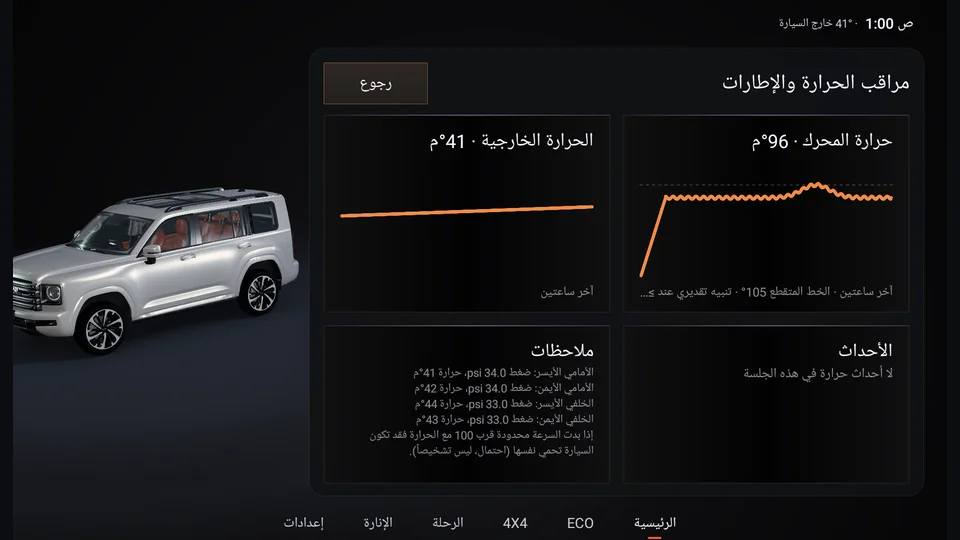
- 1Engine temp, last two hours
- 2Tyre pressure & temp
03Battery
- Voltage now, and a chart of the last two hours.
- With the engine running, normal is between 13.2 and 14.8 V.
- With the engine off, if it drops below 12.2 V it warns you that extra loads (such as a dash cam or lights) are draining the battery.
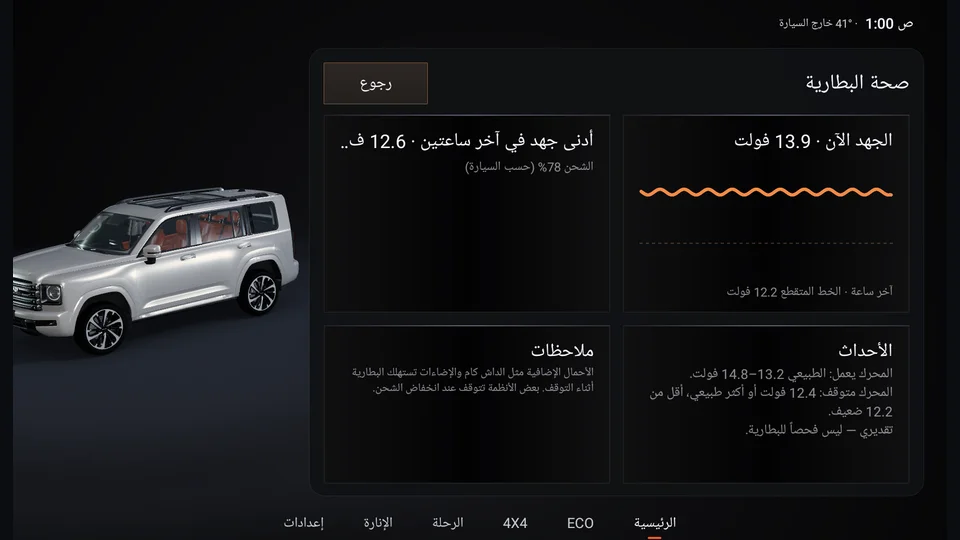
- 1Voltage now
- 2Normal and low
04Tyres
- Pressure and temperature of each tyre, and an alert if a tyre is hot (slow down and check the pressure when you stop).
- Pressure trend: how much each tyre loses per week, with an alert for a possible slow leak.
05Idling
If you stop for a long time with the engine running, it tells you for how many minutes and how much it has cost. You also see today's and this month's idling in litres and riyals.
06Camping mode
When you are stopped for a long time (such as at a camp), a card appears with a "Camping" button. The screen shows:
- How many hours the fuel will last with the engine idling, with a reminder to keep a quarter tank for the way back.
- Battery, fuel and prayer times.
- A button to turn off the ambient light.
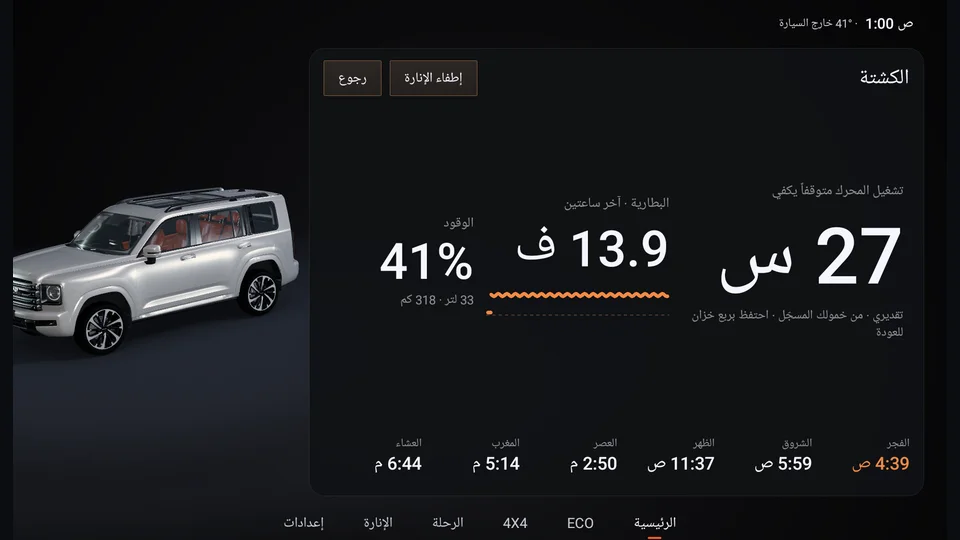
- 1Hours of fuel left
- 2Battery
- 3Fuel
- 4Prayer times
- 5Lights off
07Maintenance
- Schedules for engine oil, gear oil, air filter, A/C filter and tyre rotation, by kilometres or months.
- Record a service or a part replacement with one tap, and the next date is worked out from the odometer.
- If your vehicle works in severe conditions (heat, dust or sand), turn on that option and the intervals shorten to 70%.
Maintenance is in Settings › Vehicle & records.
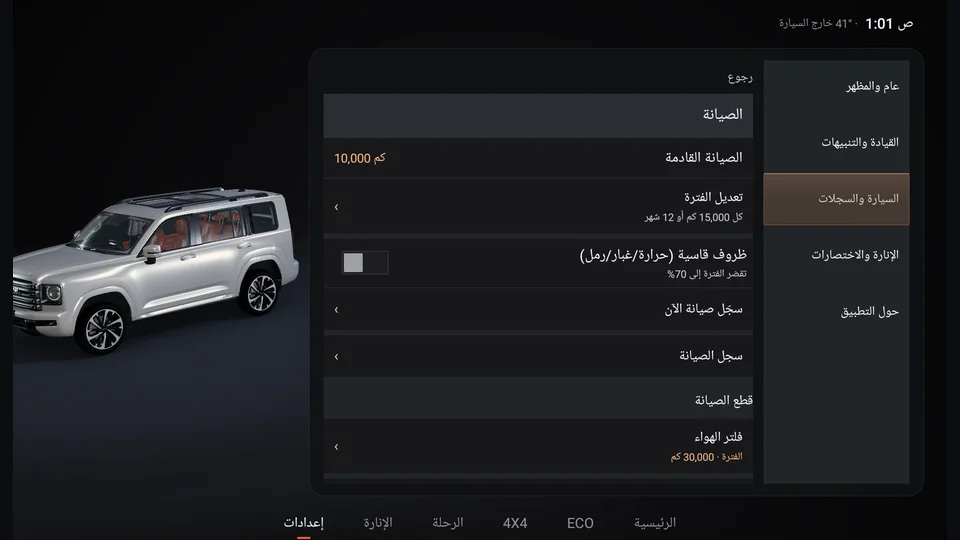
- 1Next service
- 2Severe conditions
- 3Service parts