Cabin
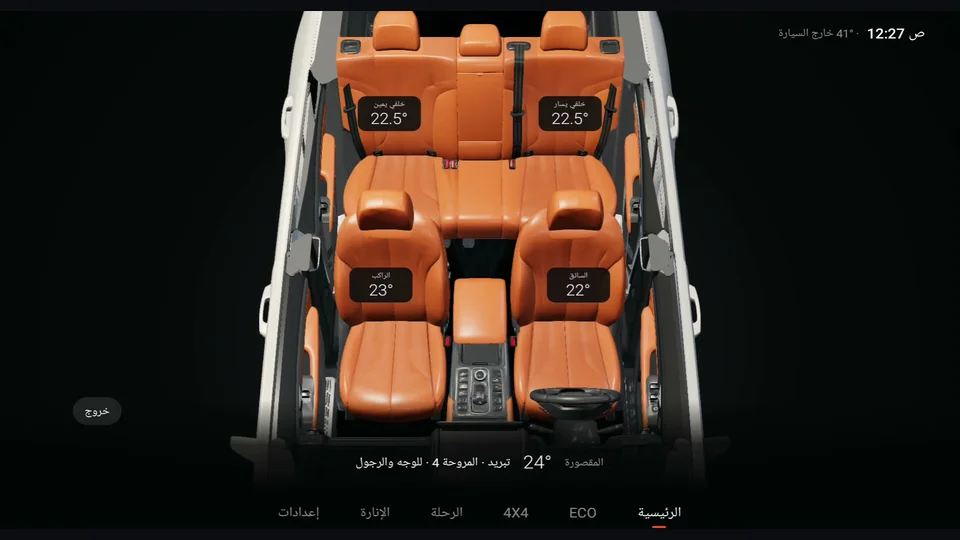
See where your air is going: the roof lifts away and you see the seats and airflow from above.
01Enter and exit
- Tap "Cabin" at the bottom left of the home screen.
- To leave, tap "Exit" or the back button. It also closes by itself when you shift to D.
02What do you see?
- Above each seat: the temperature set for that zone (driver, passenger, rear left and rear right).
- Airflow: from the active vents (face, feet, windscreen, rear), blue for cooling and warm for heating, moving with the fan speed.
- Seat ventilation: the seat glows blue with the ventilation level.
- Bottom: cabin temperature, A/C mode, fan level and air direction.
Tap any seat to zoom in and see its details. You can also turn the view a little with your finger.
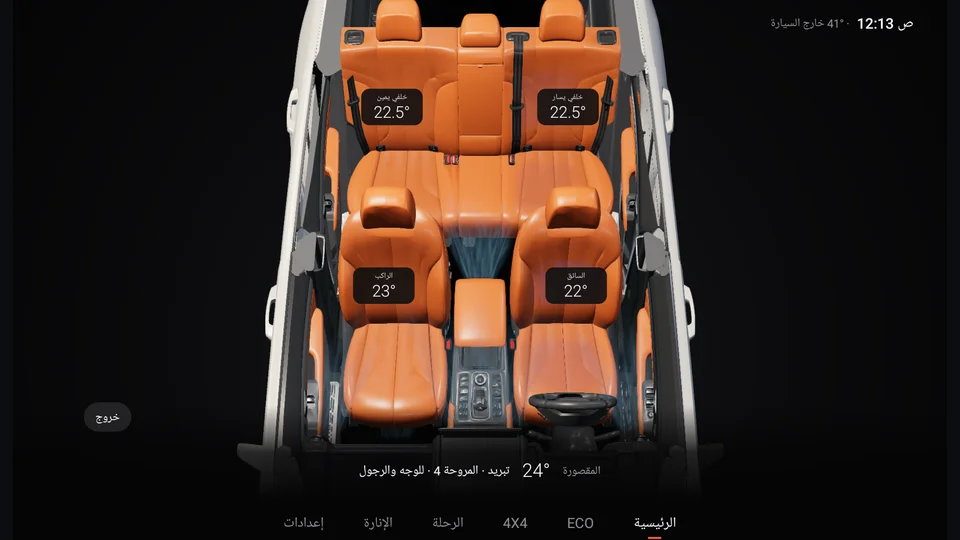
- 1Each seat's temperature
- 2A/C mode & fan
- 3Exit